

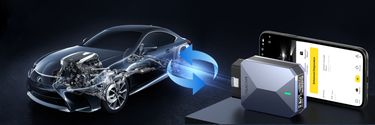
How to Check a Used Car with an OBD2 Scanner Before You Buy
Buying a used car can save you money, but it can also be risky. Sellers may hide problems, clear error codes, or even tamper with mileage records. That’s why a reliable OBD2 scanner is one of the most important tools you can bring when evaluating a second-hand vehicle. These devices allow you to look beyond the surface and check the real condition of the car’s engine and electronic systems.
Why an OBD2 Bluetooth Scanner Is Essential for Used Car Buyers
A bluetooth car diagnostic tool gives you access to hidden vehicle data that sellers may not disclose. Even if the dashboard shows no warning lights, an OBD2 scan can reveal:
- Stored and pending error codes that may indicate hidden problems.
- Signs that the codes were recently cleared, suggesting attempts to mask recurring issues.
- Abnormal readings from sensors like oxygen sensors, coolant temperature, or fuel trim values.
Since many modern scanners use wireless connections, you can simply pair them with your smartphone to get instant reports. This convenience makes the OBD2 scanner Bluetooth option especially practical for everyday buyers.
What an All System OBD2 Scanner Can Reveal in a Used Car
Not all scanners are created equal. A basic tool may only read engine codes, while an all system OBD2 scanner checks multiple vehicle systems, including ABS, transmission, and SRS airbags. For example, during a test of a used car, you can fix the most common problems like:
- Detect airbag or ABS faults that could affect safety.
- Identify transmission issues before they become expensive repairs.
- Read other fault codes and diagnose the problem.
With the right tool, you’re not just relying on the seller’s words—you’re verifying the car’s true condition.
How to Use an OBD2 Scanner During an Inspection
Step 1: Locate the OBD2 port, usually found under the dashboard on the driver’s side.
Step 2: Plug in or connect your OBD2 scanner or Bluetooth device.
Step 3: Use the companion app on your phone to run a full scan.
Step 4: Save or print the diagnostic report for later review.
This simple process takes only a few minutes but can save you thousands in unexpected repair costs.
Mucar BT200 Max – The Best Diagnostic Tool for Used Car Buyers
If you’re looking for a professional yet user-friendly tool, the Mucar BT200 Max is an excellent choice. Unlike basic scanners, this Advanced OBD2 Scanner offers:
- Full-system diagnostics covering engine, transmission, ABS, SRS, and more.
- Bi-directional control to run active tests like turning components on/off for deeper inspection.
- Bluetooth Car Diagnostic Tool functionality, giving you wireless convenience on your smartphone or tablet.
- Lifetime free updates, so your device stays compatible with new vehicle models.
For anyone evaluating used cars, the Mucar BT200 Max provides dealership-level insight at a fraction of the cost, ensuring you never buy blind.
Combine OBD2 Scanning with Other Checks
While an OBD2 scanner for hybrid cars or traditional gas cars gives you vital insights, you should also:
- Inspect the car’s exterior and interior for signs of wear and repair.
- Verify service records against the diagnostic data.
- Take a test drive to compare the scanner’s report with real-world performance.
This multi-step approach ensures you don’t rely solely on appearances when making such an important purchase.
Making Used Car Purchases Safer
Used cars can be a great deal, but only if you know what you’re buying. An OBD2 scanner provides transparency, revealing issues that could otherwise remain hidden until after purchase. For the best results, consider the Mucar BT200 Max, a reliable and affordable tool that combines Bluetooth convenience with all-system diagnostics. By using technology to your advantage, you can avoid being tricked, negotiate better deals, and drive away with confidence.
Your Car Care Home

©2025 Dollarfix All Rights Reserved